ALTERNATIVES / LIVE TRANSLATION
Immersive Translate Alternative for Meetings and Videos
MeeLang is an alternative to Immersive Translate for live browser meetings, YouTube videos, and streams. It can translate from playing audio when usable captions are missing. If you mainly translate web pages or PDFs, Immersive Translate may be the better fit.
Product comparison · Reviewed November 18, 2026
THE SHORT ANSWER
Should you switch?
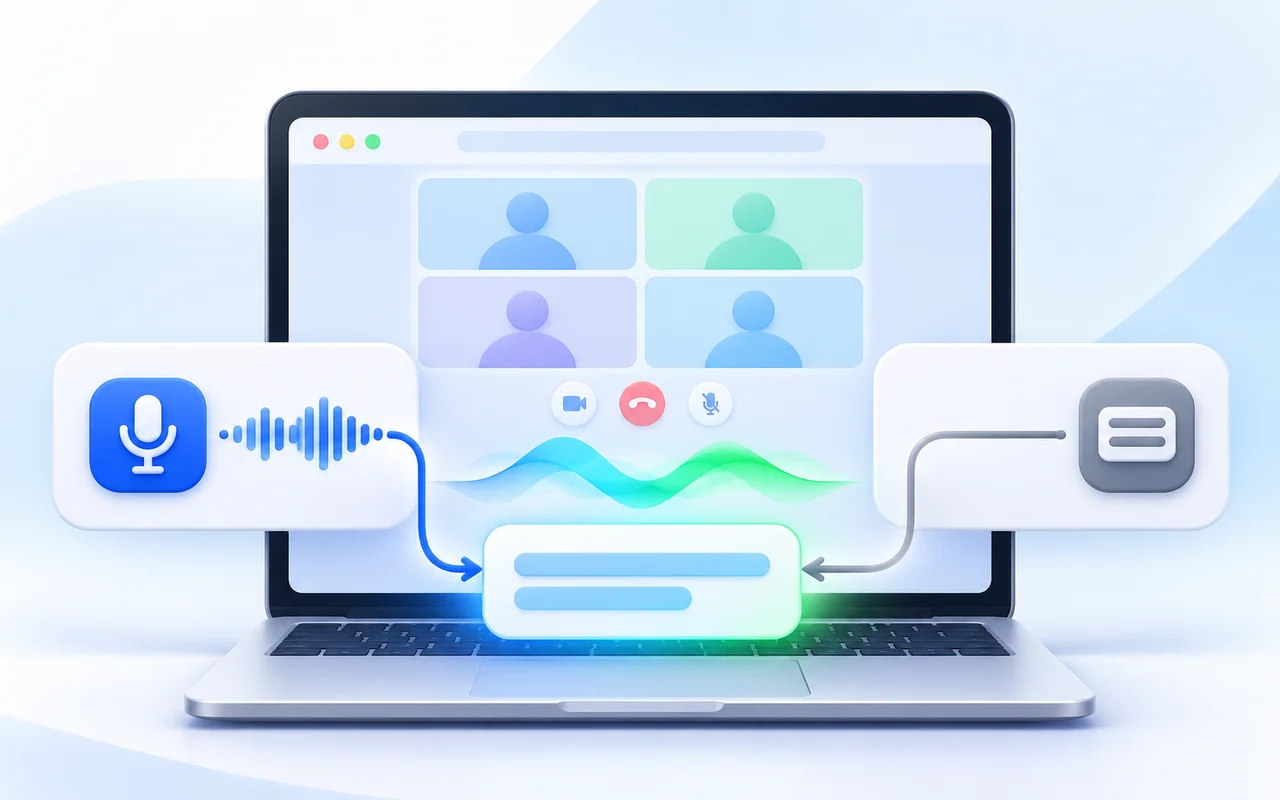
MeeLang vs Immersive Translate comes down to where the first line of text comes from. Their documented meeting workflows take different routes to bilingual subtitles.
Choose MeeLang when
You attend Google Meet, Zoom web, Teams web, or Webex web and want translated subtitles from the meeting audio, without enabling platform captions or admitting a bot.
Keep Immersive Translate when
You need one extension for web pages, PDFs, or your meeting platform already provides usable captions that you want translated.
Consider using both when
You read multilingual web pages and also attend browser meetings where captions are missing or your account cannot enable translated captions.
WHY THE WORKFLOWS DIFFER
How each tool gets to bilingual subtitles
Both tools can translate YouTube captions. The difference appears when usable captions are missing during a live meeting or stream: MeeLang can work from the playing audio. These paths show the input each tool uses, not a speed or accuracy ranking.
MeeLang
No usable captions · meetings and YouTube
- Meeting or YouTube audio
- Speech recognition
- Bilingual subtitles
Captions available · YouTube videos
- YouTube captions
- Caption translation
- Bilingual subtitles
MeeLang can translate YouTube's existing captions or recognize audio when a supported meeting, video, or live stream has no usable captions.
Immersive Translate
Captions available · live meetings
- Meeting platform captions
- Caption translation
- Bilingual subtitles
Captions available · YouTube videos
- YouTube captions
- Caption translation
- Bilingual subtitles
Immersive Translate's documented meeting workflow starts with platform captions. It also offers AI subtitle generation for recorded videos without captions.
SIDE BY SIDE
MeeLang vs Immersive Translate
Compare the job you need done, not only the extension labels. The rows below separate live meetings, live streams, and recorded videos.
| Question | MeeLang | Immersive Translate |
|---|---|---|
| Live meeting input | Recognizes audio in supported browser meetings; platform captions are not required. | Its documented meeting workflow translates captions supplied by Zoom, Google Meet, or Teams. Enable those captions first. |
| Meeting platform coverage | Google Meet, Zoom web, Microsoft Teams web, Webex and any online meeting websites with videos. | Its meeting guide names Zoom, Google Meet, and Microsoft Teams. |
| YouTube live stream without captions | Can translate the live audio and show bilingual subtitles while the stream plays. | Its live-stream guide says translation needs creator captions or YouTube auto-captions during the live broadcast. |
| Recorded YouTube video without captions | Can translate from audio while the video plays. | Offers AI subtitle generation from video audio, including a Pro workflow for videos without captions. |
| Recorded YouTube video captions | Can translate from captions when the video provides them. | Can translate from captions. |
| Starting price and free tier | Free tier: free 30 minutes of speech translation and 10 caption-based videos per month. Pro: $9.99 per month with 600 minutes of speech translation and 100 caption-based videos. | Has paid membership tiers. Its membership terms list Pro at $14.99 per month and $119.88 per year; check its checkout page for current pricing and quotas. |
| Web pages and PDFs | Focused on supported meetings and YouTube; not a general page or PDF translator. | Designed for bilingual web-page reading and PDF translation as well as video subtitles. |
| What you keep | A searchable bilingual transcript saved in your browser, with TXT export. | Video subtitle editing and export are documented for supported video workflows; these are separate from meeting translation. |
Features depend on the source, account, and mode. The comparison reflects published product documentation reviewed on November 18, 2026; it is not a timed head-to-head test.
DECIDE BY SCENARIO
Where each tool earns its place
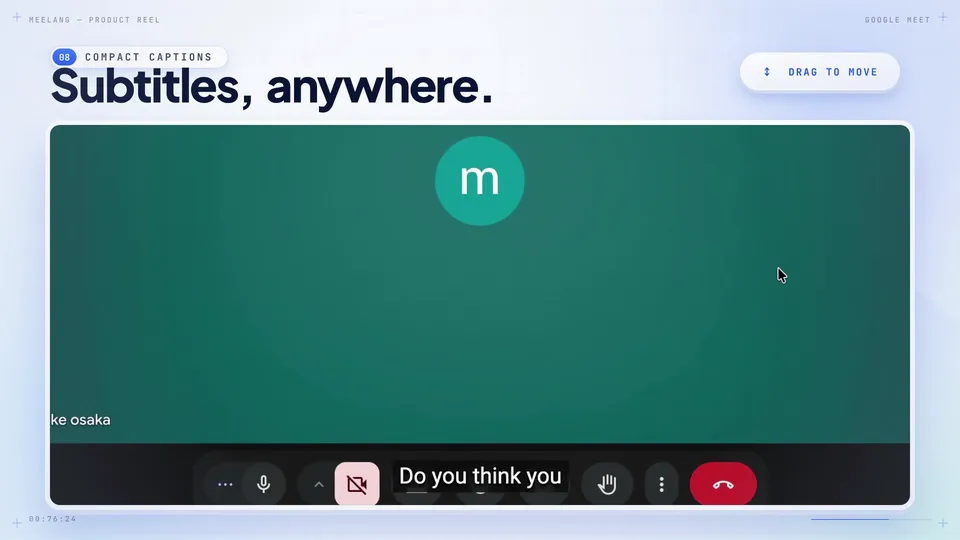
A meeting with no usable captions
MeeLang can listen to the meeting audio in a supported browser tab and add bilingual subtitles for you. Other participants do not need to install it.
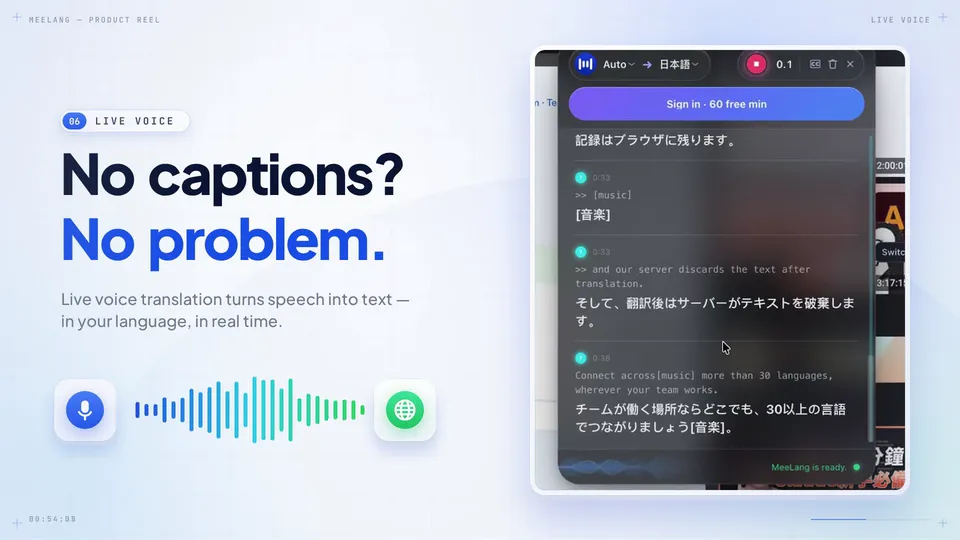
A YouTube live stream without captions
MeeLang can use the playing audio. Immersive Translate documents live caption translation when YouTube captions exist, with AI subtitle generation available for an archived video afterward.
SEE THE PRODUCT
What MeeLang looks like in a meeting
These videos show MeeLang's viewing options, not a visual simulation of Immersive Translate.
TRY THE DIFFERENCE
A fair way to compare them in your own meeting
-
Pick your actual meeting
Use a Google Meet, Zoom web, Teams web, or Webex web call you are allowed to test. Confirm your spoken and reading languages.
-
Check the caption source
See whether the platform supplies captions. Follow Immersive Translate's meeting setup if it does; try MeeLang's audio-based mode for the same call.
-
Judge the usable result
Compare readability, names and numbers, subtitle continuity, and what you can review afterward. Do not treat different audio or caption sources as an accuracy benchmark.
SOURCES & SCOPE
How this comparison was prepared
We used Immersive Translate's published instructions for online meetings and video, plus MeeLang's current product documentation and product images. We did not run a controlled accuracy or latency test against Immersive Translate. Capabilities can change, so check each vendor's current instructions before deciding.
Immersive Translate documentation
MeeLang product pages
COMMON QUESTIONS
Immersive Translate alternative FAQ
Is MeeLang an alternative to Immersive Translate for Google Meet?
Yes, if your goal is bilingual subtitles during a Google Meet call. MeeLang translates from the meeting audio in desktop Chrome, so it does not require Google Meet captions. Immersive Translate's documented meeting workflow translates the captions provided by Meet.
Does Immersive Translate work without captions?
It offers AI subtitle generation from the audio of supported videos. Its documented live meeting workflow starts with platform captions, and its YouTube live-stream guide says real-time translation needs creator or automatic captions during the broadcast.
Can MeeLang replace Immersive Translate for web pages and PDFs?
No. MeeLang focuses on live translation for supported browser meetings and YouTube. Immersive Translate also provides bilingual web-page and PDF translation.
Do other meeting participants need to install MeeLang?
No. MeeLang displays translated subtitles on your own screen in a supported browser meeting, and no meeting bot joins the call.
Try the workflow that fits your next call
If your missing piece is live bilingual subtitles from meeting audio, install MeeLang in desktop Chrome and test it in a supported browser meeting.
Install MeeLang Try the live translation tool