LIVE TRANSLATION FOR MEETINGS & YOUTUBE
A Felo Subtitles alternative for Chrome
MeeLang is an alternative to Felo Subtitles for personal bilingual subtitles in Chrome. Translate live meeting audio or a YouTube stream, use an existing caption track on a recorded video, and keep meeting transcripts in your browser. Felo is worth considering for its desktop apps, terminology dictionaries, and live subtitle sharing.

Which tool fits the way you watch or meet?
Start with where you need to read the translation: on your own browser tab, in a desktop app, or on a page others can open.
Read along in your browser
Choose MeeLang for bilingual subtitles inside a supported meeting or YouTube tab, with a local meeting transcript you can search and export.
Work from an existing caption track
Choose MeeLang when a recorded YouTube video already has usable captions. The translated subtitles follow the video's timing as you pause or seek.
Translate in a desktop app or share with an audience
Consider Felo for its Windows and Mac apps, custom dictionaries, or a live subtitle link viewers can open in their own browsers.
How the two subtitle workflows differ
Both extensions can turn playing audio into translated subtitles. When a recorded YouTube video already has usable captions, MeeLang can also translate the timed text directly.
MeeLang
LIVE SPEECH
- Meeting or video audio
- Recognize and translate speech
- Bilingual subtitles
AVAILABLE YOUTUBE CAPTIONS
- Timed YouTube captions
- Translate the caption track
- Bilingual subtitles
Felo Subtitles
CHROME EXTENSION
- Meeting or video audio
- Recognize and translate speech
- Live translated subtitles
MeeLang vs Felo Subtitles
Both can translate live audio. The differences are in where you can use each tool, how it handles recorded YouTube videos, and what you can keep or share afterward.
| What matters | MeeLang | Felo Subtitles |
|---|---|---|
| Live meeting audio | Bilingual subtitles in the browser for Google Meet and the web versions of Zoom, Teams, and Webex. No meeting bot. | Its Chrome listing describes audio translation for Google Meet, Zoom, and Teams, including a no-bot workflow for Google Meet on the web. |
| YouTube Live | Translates speech from the playing YouTube tab when a usable caption track is unavailable. | The browser extension transcribes and translates live stream audio into subtitles. |
| Recorded YouTube videos | Translate a usable caption track with its original timing, or use speech translation when the track is missing. | The Chrome listing documents real-time transcription and translation of browser video audio. It does not detail a YouTube caption-track mode. |
| Meeting records | Search and export bilingual transcripts stored in your browser. Pro also includes AI meeting summaries. | Felo’s Chrome Web Store listing says transcripts are stored in the browser and can be exported as TXT. It also describes a personal dashboard for transcripts and AI meeting summaries. |
| Browser and desktop apps | Browser extension for supported meeting and video pages. | Browser extension and separate Windows and Mac apps. |
| Terminology and live sharing | Context-aware translation and a personal subtitle overlay. | Felo documents customizable speech and translation dictionaries and live subtitle sharing by link. Check availability for your app and plan. |
Felo Subtitles pricing vs MeeLang
Compare live speech minutes separately from MeeLang’s allowance for videos translated from existing captions. Which limit matters depends on how you use the tool.
| What matters | MeeLang | Felo Subtitles |
|---|---|---|
| Free | $0/month. Sign in for 30 speech translation minutes per month. The free plan also includes translation for 10 videos per month using available captions. | Felo describes a free version with limits on time and features. Its English pages do not specify a fixed free-minute allowance. |
| Paid plans | Pro is $9.99/month for 600 speech translation minutes and 100 videos translated from captions per month, plus AI meeting summaries. | Felo lists Personal, Business, and Enterprise plans and offers add-on hours. Check the current Felo price and included time for your plan and region. |
Where each tool earns its place
Follow a meeting and check an earlier line
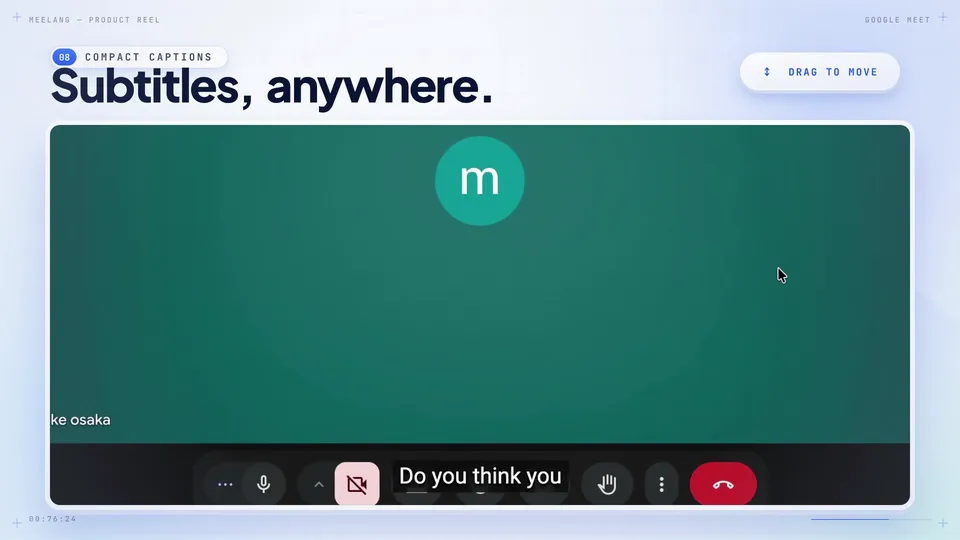
Use MeeLang when you want the translation on your meeting page and a record you can review. Read the bilingual overlay during the call, then search the transcript for a decision, a name, or a number.
Watch a YouTube stream without usable captions
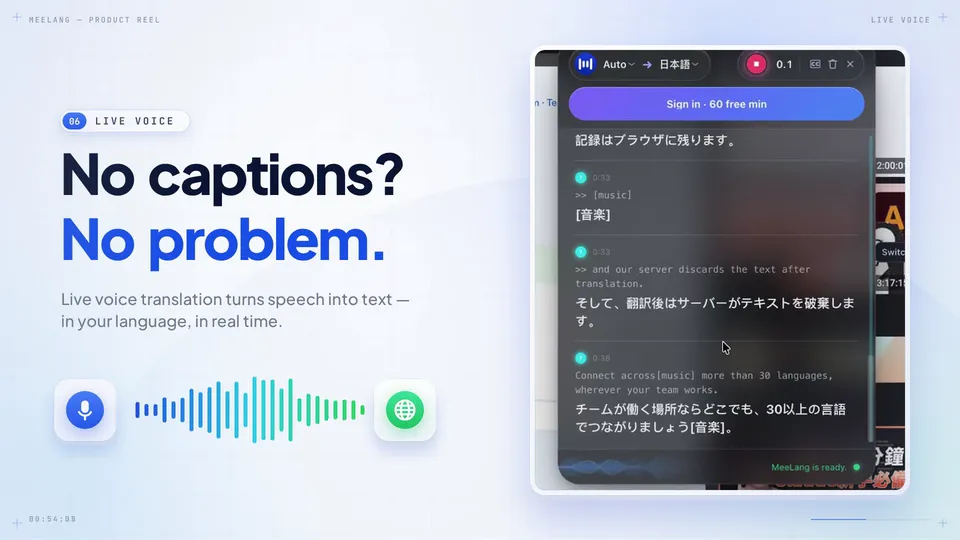
Both tools can transcribe and translate live audio. In MeeLang, use speech translation for the stream. For a recording with a usable caption track, choose caption translation to follow that track as you move through the video.
TRY THE DIFFERENCE
Compare both tools in a meeting or video you know
-
Start with the same audio
Use a test Google Meet call or a short YouTube clip. Run the browser extensions one at a time with the same source and target languages. Choose speech translation in MeeLang so both start from the audio.
-
Check the words that matter
Use a segment with a name, a number, and a technical term. See how quickly usable subtitles appear, whether they keep up with the speaker, and how easily you can find an earlier line.
-
Test the workflow you’ll actually use
For recorded YouTube videos, try MeeLang’s caption track mode and seek to a different point. For desktop meetings or audience captions, try Felo’s desktop app or have a colleague open its live subtitle link.
SOURCES & SCOPE
How this comparison was prepared
We reviewed Felo Subtitles’ product page, Chrome extension listing, and English pricing page alongside MeeLang’s product documentation and screenshots. We treated Felo’s desktop apps and Chrome extension as separate workflows. The feature and pricing comparison is based on published information.
Felo Subtitles documentation
MeeLang product pages
Felo Subtitles alternative FAQ
Is MeeLang an alternative to Felo Subtitles?
Yes. MeeLang and Felo Subtitles both offer live translated subtitles for supported browser meetings and YouTube. MeeLang is a fit if you want personal subtitles in Chrome, an existing YouTube caption-track mode, and local meeting transcripts. Consider Felo for native desktop apps or a live subtitle link for an audience.
What is a free alternative to Felo Subtitles?
MeeLang’s Free plan includes 30 speech translation minutes per month after sign-in and 10 videos translated from available captions per month. Felo also describes a limited free version.
Do MeeLang and Felo Subtitles need existing YouTube captions?
Both can recognize speech from playing audio and show translated subtitles. If a recorded YouTube video already has a usable caption track, MeeLang can translate that track and follow its timing.
Can I use MeeLang for a Zoom or Teams desktop meeting?
MeeLang works with the web versions of Zoom and Microsoft Teams in browser. If you join through their native apps, consider Felo’s desktop offering and check support for your setup.
Can I review the translation after a meeting?
MeeLang saves a searchable, exportable bilingual transcript in your browser. Felo’s Chrome Web Store listing says transcripts are stored in the browser and can be exported as TXT. It also describes a personal dashboard for transcripts and AI meeting summaries.
Try bilingual subtitles in your next Chrome tab
Start with a meeting or a YouTube video you already know. Check how easily you can follow the subtitles and revisit a line.
Add to Chrome Try the live translation tool